Rovo Credits


Understand how it works before deploying Atlassian AI
Rovo is now included in Atlassian Cloud licenses, but "included" does not mean "unlimited." Behind AI features (Chat, Agents, Deep Research) lies a credit system you should understand before deploying Rovo widely in your organization.
At Swarmit, we often assist clients with questions like: How many credits do I actually have? Could I exceed my quota? What happens if I do? Here are our answers and some points the official documentation does not yet clarify.

Three types of quotas to distinguish
1. Rovo credits, for everyday AI uses
Rovo credits power the AI features intended for all your collaborators: Rovo Chat, Rovo Agents and Deep Research. They are pooled at the organization level: all users share the same monthly reservoir, which offers real flexibility according to actual usage.
2. Indexed Objects, for searching your external content
This quota determines how many external documents (SharePoint, Google Drive, Teams…) can be indexed and made searchable by Rovo.
Note: native Atlassian content (Confluence pages, Jira tickets) as well as Gmail, Outlook and Slack do not count towards this quota. Also note that indexed objects do not consume Rovo credits.
The number of indexed objects is not billed. It is displayed in Admin Hub for informational purposes so that organization administrators can get an idea of the volume of data accessible to Rovo AI.
3. Rovo Dev credits, a completely separate counter
Rovo Dev is an AI assistant integrated directly into developers' work environment (GitHub, terminal, IDE) that automatically analyzes pull requests, generates code, and helps understand codebases. It enables developers to save significant time on repetitive tasks such as code reviews, test generation, or bug fixing, so they can focus on higher-value tasks.
It is an additional Atlassian App, costing 20 USD/dev/month.
The Rovo Dev quota is individual per developer (not pooled) and strictly enforced, with immediate billing of overages at 0.01 USD per credit.
What consumes Rovo credits and what does not
First of all, an essential clarification: not all Atlassian AI features are linked to Rovo.
Do not consume Rovo credits:
- Rovo Search : unified search is free, no credits consumed
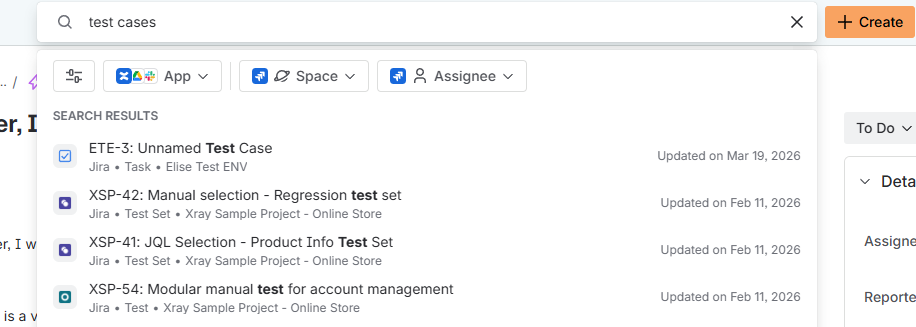
- Atlassian Intelligence (natural language ticket search, story rephrasing, sub-task suggestions, automatic summaries in Jira/Confluence), it is a native AI layer included, separate from Rovo

Consume Rovo credits:
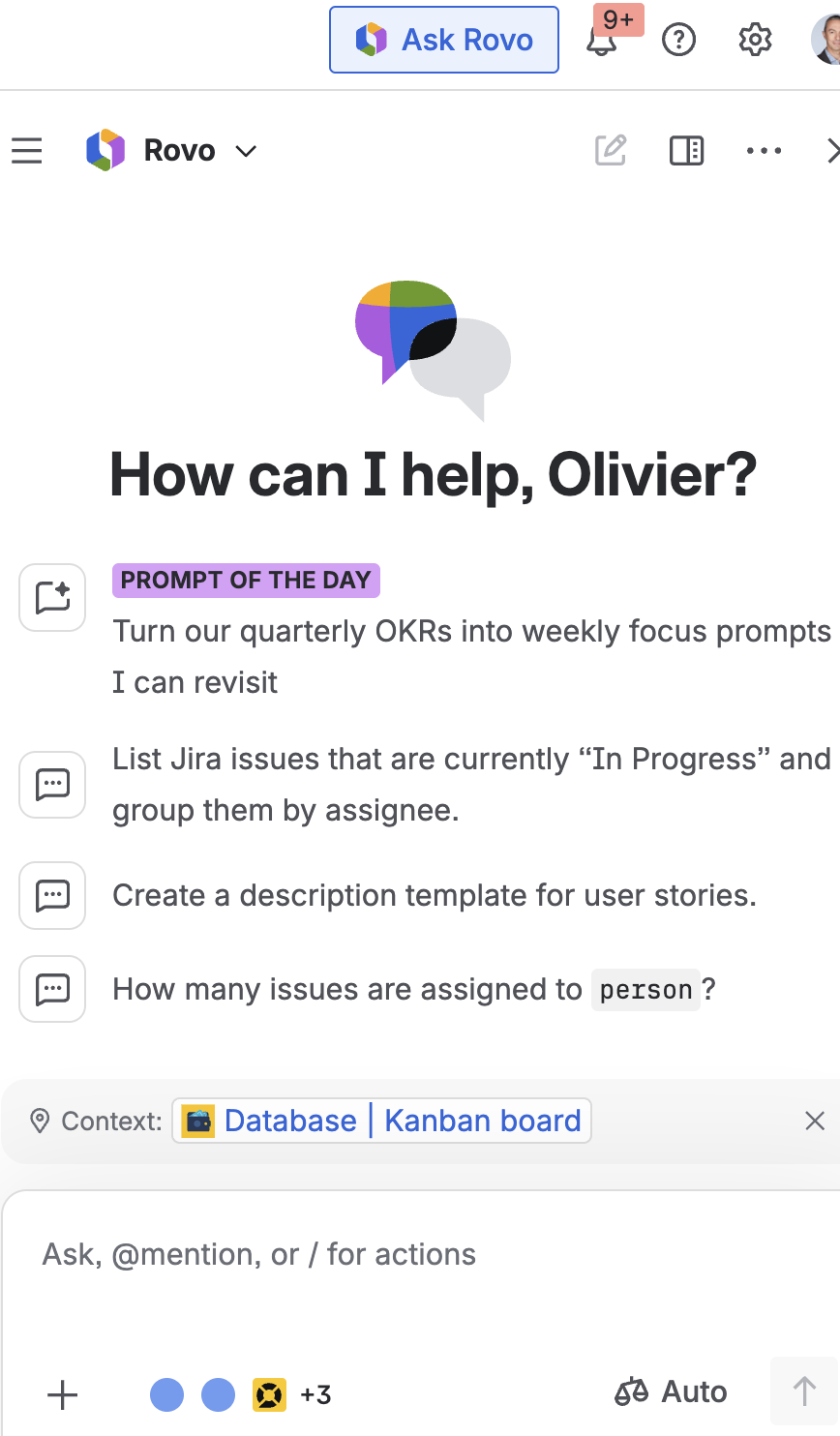
- Rovo Chat: 10 credits per trigger
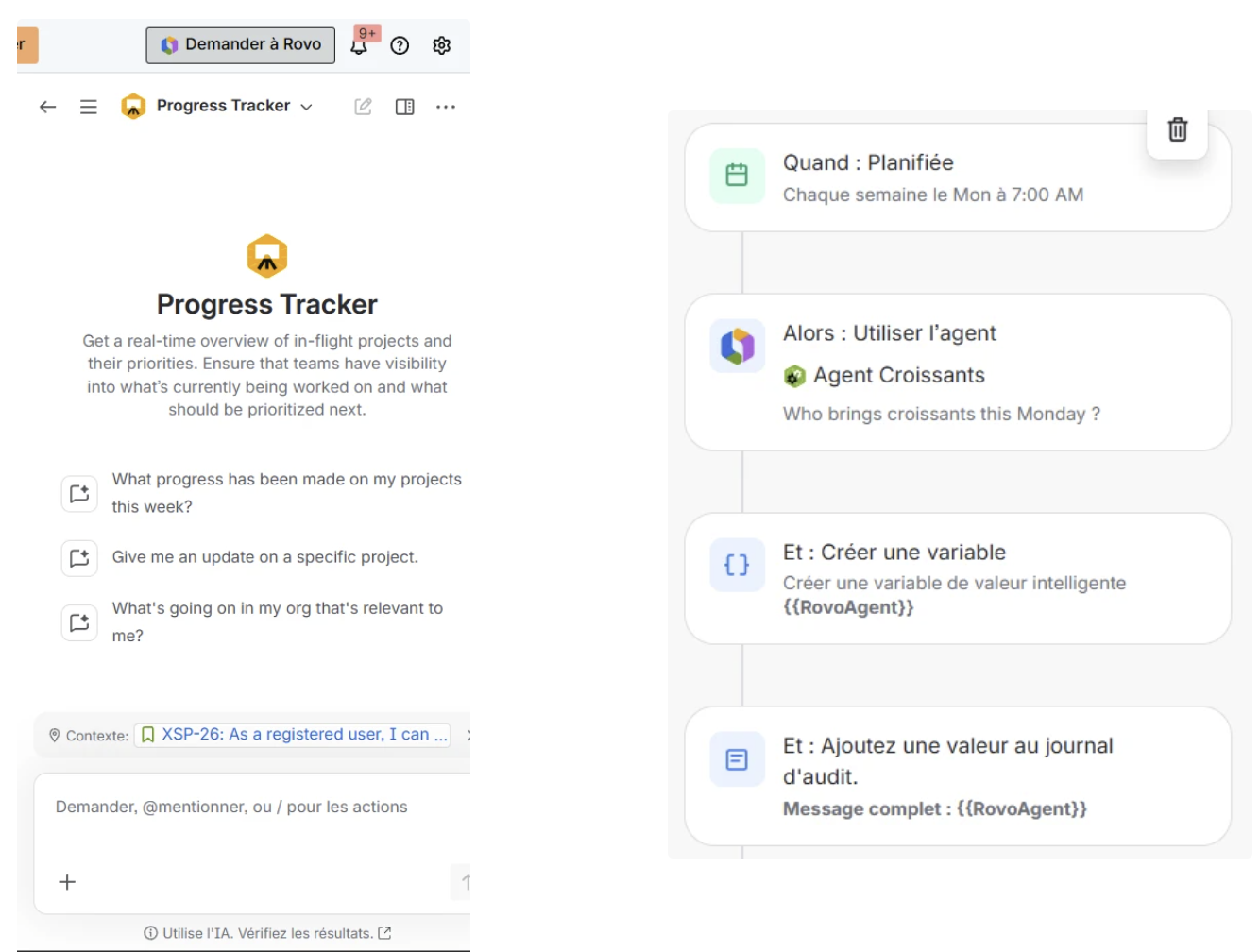
- Agent Rovo (call from Jira, Confluence or automation): 10 credits per call
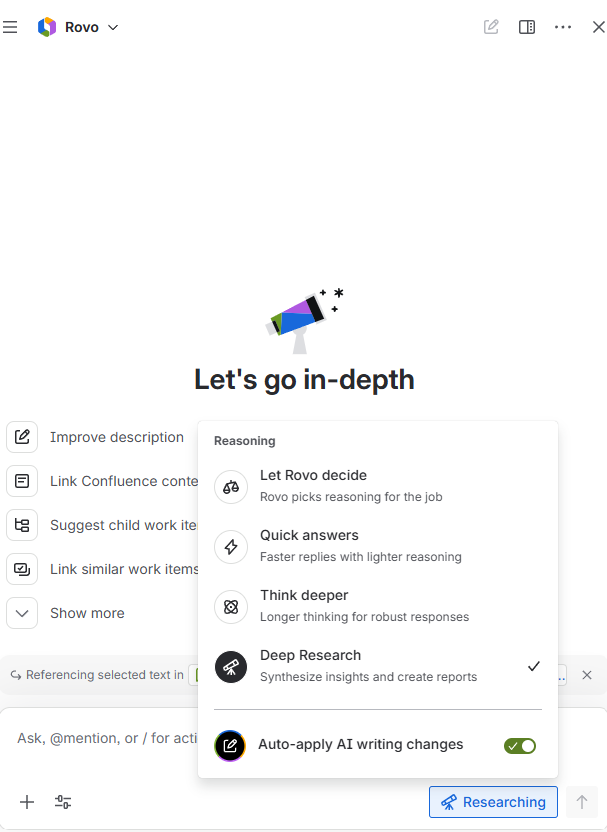
- Deep Research : 100 credits per query
💡 Important clarification about Chat: in a Rovo Chat conversation, not every interaction consumes credits, but each trigger that generates a new search. If you refine or correct an existing response without restarting a search, no credit is deducted. However, if you reuse a suggestion or request a new generation, 10 credits are consumed.
What you get according to your edition

*Atlassian guarantees a minimum 90-day notice before any strict enforcement of standard Rovo quotas.
Alerts and consumption tracking: currently unavailable
This is one of the blind spots of the Rovo deployment: there is currently no automatic alert when an organization approaches or exceeds its standard Rovo credit quota. The official documentation is vague on this topic.
We recommend proactive monthly monitoring, especially if you have automations calling Rovo agents.
Who can use Rovo? No restriction by user group
A crucial point to anticipate before any deployment: once Rovo is activated at the organization level, it is accessible to all users. It is currently not possible to restrict access to a specific user group.
This means that activating Rovo is a global organizational decision to be considered in your credit consumption estimate.
Deep Research: powerful, but to be used wisely
Deep Research allows Rovo to conduct in-depth research, including on the web. It consumes 100 credits per query, which is 10× a standard Chat.
Two important points:
From Rovo Chat: switching to Deep Research mode is always manual. The user must explicitly select this mode. Therefore, there is no risk of automatic switching from 10 to 100 credits within a conversation.
From a custom Rovo agent: be careful, the configuration is different. In Rovo Studio, it is possible to activate Deep Research on specific scenarios of a custom agent, which can trigger 100 credits each time that scenario is called. This mode cannot be activated on the "Default" scenario of an agent, only on custom scenarios. If your agents are called by recurring automations, check if Deep Research is activated on their scenarios.
Concrete examples to estimate your budget
Example 1: 100 Jira Premium users
- Available Rovo Credits: 7,000 credits/month (100 × 70)
- Chat equivalent: about 700 interactions for the whole team, or 7 interactions per user/month
With a balanced mix, these 7,000 credits correspond to: 400 Rovo Chat questions (4,000 credits) + 100 agent calls (1,000 credits) + 20 Deep Research (2,000 credits)
Specifically per user per month: 4 Rovo Chat questions, 1 agent call (Story Analyser, Portfolio Tracker…), and 1 Deep Research for every 5 users
Example 2: Mixed organization (50 Jira Premium + 50 Confluence Standard)
- Available Rovo Credits: 4,750 credits/month (3,500 + 1,250)
- Chat equivalent: about 475 interactions for the whole team, or approximately 5 interactions per user/month
With a balanced mix: 270 Rovo Chat questions (2,700 credits) + 65 agent calls (650 credits) + 14 Deep Research (1,400 credits)
Specifically per user per month: 2-3 Rovo Chat questions, 1 occasional agent call, and 1 Deep Research for every 7 users
Example 3 — 50 Teamwork Collection Standard users
- Available Rovo Credits: 12,500 credits/month (50 × 250)
- Chat equivalent: about 1,250 interactions for the whole team, or 25 interactions per user/month
With a balanced mix: 750 Rovo Chat questions (7,500 credits) + 187 agent calls (1,870 credits) + 31 Deep Research (3,100 credits)
Specifically per user per month: 15 Rovo Chat questions, 3-4 agent calls (Story Analyser, Portfolio Tracker…), and 1 Deep Research for every 2 users
Example 4: Complete scenario (100 Premium users + 10 developers)
- 7,000 Rovo credits for Chat, Agents, and Deep Research
- 20,000 Rovo Dev credits for development
- Specifically per month: the product team has 400 Chats + 100 agent calls + 20 Deep Research, while the 10 developers each handle up to 15 PRs automatically reviewed
- Recommended budget with margin: 250–300 USD/month (Rovo Dev only)
Rovo is not designed for widespread intensive use. The organizational pool works if the majority of users consume lightly. As soon as several power users coexist (PMs, analysts, recurring automations), the monthly quota compresses quickly and without alert.
However, the Teamwork collection allows greater flexibility by multiplying the quota per user by 10 for Rovo usage.
Key takeaways
- Rovo is still free - take advantage to test and measure your teams' real usage before quotas are applied (90-day notice guaranteed).
- Rovo Dev is different - overages are billed now. Monitor your consumption actively.
- The organizational pool is an advantage - if some users consume little, their credits benefit more active users.
- The Teamwork collection multiplies the quota per user by 10 - a real asset
- Deep Research is resource-intensive (100 credits/query) - reserve it for high-value use cases.
Want to optimize your Rovo deployment?
At Swarmit, Platinum Atlassian Partner, we help our clients manage their licenses and make the most of Atlassian AI features: from analyzing available credits to creating custom Rovo agents.
Contact us for a license audit or to learn more about our Rovo Agent Service Pack.


.jpeg)
.webp)


